Domains & HTTPS
Slasha handles all your routing and security automatically using a built-in Caddy reverse proxy.
Platform Subdomains
When you set up Slasha, you choose a base domain (e.g., slasha.example.com). Every app you create is instantly assigned a subdomain based on its name.
For example, an app named my-api will be available at:
https://my-api.slasha.example.com
Custom Domains
You can also point your own domains (like example.com) to your apps.
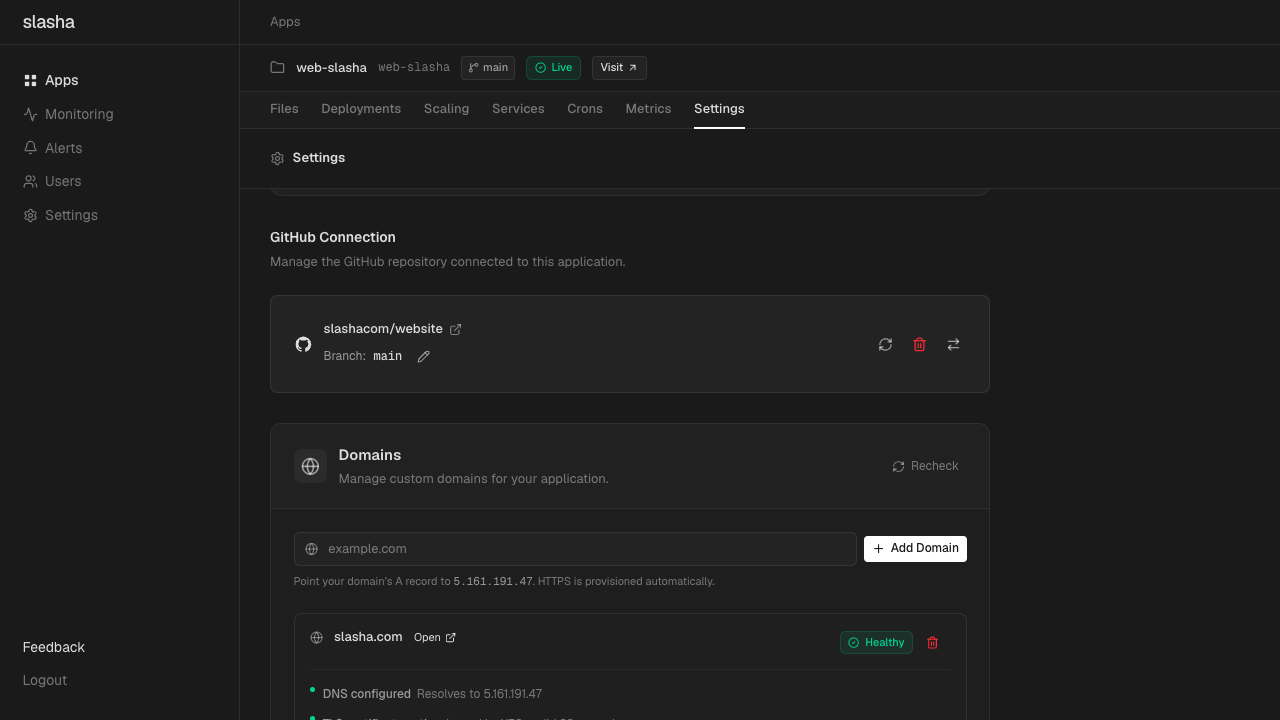
Step 1: Configure DNS
Create an A record in your DNS provider (like Cloudflare or Namecheap) that points your domain to your server’s public IP address.
Step 2: Add to Slasha
Use the CLI or dashboard to link the domain to your app:
# Add a custom domain via CLI
slasha domains add example.com
Automatic HTTPS
Slasha (via Caddy) automatically provisions and renews SSL certificates for all your domains using Let’s Encrypt or ZeroSSL.
You don’t need to configure anything—as soon as your DNS propagates, your site will be served over a secure HTTPS connection.
SSL Troubleshooting: If you see an SSL error immediately after adding a domain, wait a minute for Caddy to finish the certificate challenge. Ensure your server’s ports 80 and 443 are open to the internet.